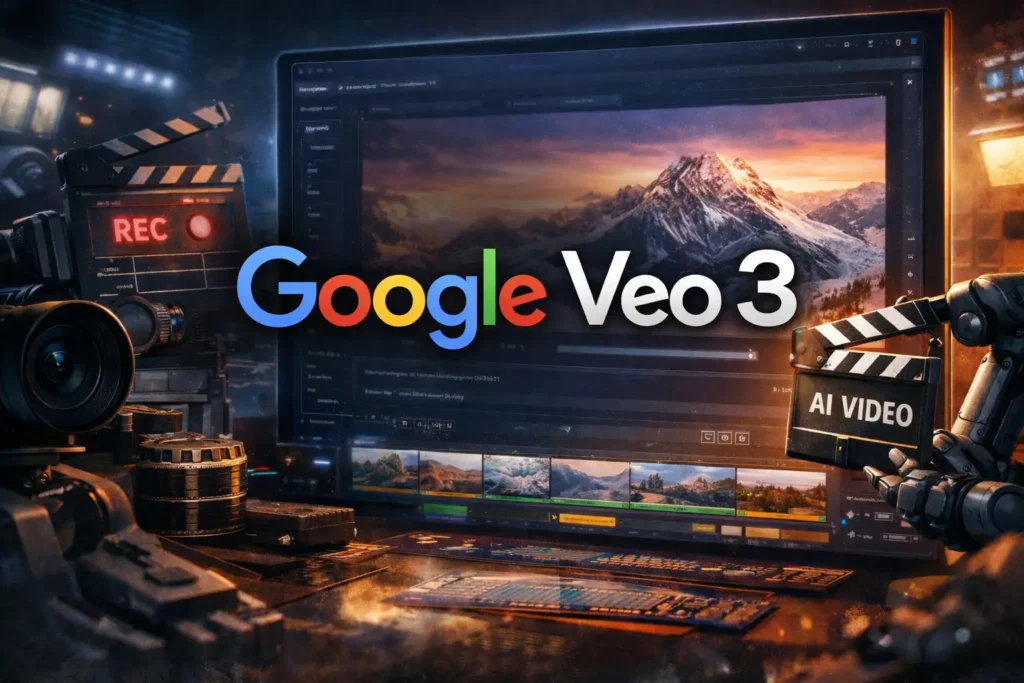
Using Google Veo 3 without an API or technical setup means creating cinematic AI videos through Google’s user-facing tools instead of developer infrastructure. You don’t need coding skills, API keys, or software installations to get started.
Google Veo 3 is designed for creators, not just engineers, which makes it accessible through guided interfaces where you simply describe scenes in text and generate video clips.
If you’re a YouTuber, marketer, educator, or storyteller who wants high-quality visuals without technical barriers, this guide explains exactly how to use Veo 3 the simple way.
What Does “Using Google Veo 3 Without API” Actually Mean?
Using Veo 3 without an API means interacting with the model through Google’s official AI interfaces, not through developer platforms. Instead of writing code or managing keys, you access Veo 3 via prompt-based tools where video generation feels similar to using an AI image generator.
This approach is powered by Google DeepMind, which builds the underlying model, while Google’s consumer-facing platforms handle usability. The result is a clean, creator-first workflow focused on ideas and storytelling—not infrastructure.
Where You Can Access Google Veo 3 Without Technical Setup?
Google is rolling Veo 3 into its AI creation ecosystem, making it available through curated experiences rather than open APIs for most users.
In practice, Veo 3 can be accessed through:
- Google’s experimental AI platforms
- Integrated creative tools designed for prompt-based generation
- Visual interfaces where scenes are created via text instructions
These environments are built for non-technical users who want results quickly without configuration or maintenance.
How the No-API Workflow Works Step by Step?
The Veo 3 no-API workflow is intentionally simple and linear.
You start by writing a detailed prompt describing the scene you want, including setting, mood, camera movement, and visual style. Veo 3 then generates short cinematic video clips based on that prompt. You can regenerate, refine, or adjust prompts until the visuals match your intent.
Once the clips are ready, you download them and move into a standard editing workflow. This keeps Veo 3 focused on what it does best—visual generation—while you retain full creative control over the final video.
Who Should Use Google Veo 3 Without API Access?
This approach is ideal for creators who care about output quality but want to avoid technical complexity.
It’s especially useful for:
- YouTube creators building faceless or cinematic channels
- Educators creating visual explainers
- Marketers producing concept videos or ads
- Storytellers experimenting with short films
If you can write a script and edit a video, you already have the skills needed to use Veo 3 effectively.
How This Fits Into a YouTube Content Workflow?

For YouTube creators, Veo 3 acts as the visual engine of the workflow.
A typical process looks like this: you plan the video concept, generate multiple short scenes in Veo 3, assemble them in a video editor, add voiceover and music, and then optimize the final upload for YouTube SEO. This approach dramatically reduces production time while maintaining a professional, cinematic look.
The lack of technical setup makes it easy to scale content production consistently.
What You Can and Can’t Do Without API Access?
Using Veo 3 without an API gives you powerful creative freedom, but with some boundaries.
You can generate high-quality scenes, experiment with visual styles, and iterate quickly. However, you won’t have programmatic control, automation, or large-scale batch generation. Those features are reserved for developers and enterprise workflows.
For most creators, these limitations are not a drawback—they keep the experience simple and focused.
| Aspect | Using Google Veo 3 Without API | Using Google Veo 3 With API |
|---|---|---|
| Technical setup | No setup, no coding, no keys required | Requires API access and developer setup |
| Skill level | Beginner to creator-friendly | Developer or technical user |
| Access method | Prompt-based visual interface | Programmatic integration |
| Speed to start | Immediate | Slower (setup + configuration) |
| Best for | YouTubers, educators, marketers, storytellers | Automation, large-scale pipelines |
| Creative control | High (manual, scene-by-scene) | High (but technical) |
| Scalability | Manual but flexible | Fully automatable |
| Learning curve | Very low | Medium to high |
Is Using Veo 3 Without API Safe and Future-Proof?
Yes, using Veo 3 through official interfaces is the safest and most future-proof option. Google manages updates, quality improvements, and policy compliance behind the scenes, so creators don’t need to worry about breaking changes or deprecated APIs.
This also aligns well with platform policies, especially when publishing on YouTube, where transparency and originality matter more than how the video was generated
Best Practices for Non-Technical Creators Using Veo 3

To get the best results, focus on prompt clarity, scene-by-scene planning, and storytelling flow. Treat Veo 3 like a cinematographer responding to your direction. The clearer your intent, the stronger the output.
Pair Veo 3 visuals with original scripts, thoughtful pacing, and clean editing. This combination ensures the final video feels intentional, human, and valuable to viewers.
Final Thoughts: Do You Need an API to Use Google Veo 3?
No—you don’t need an API, coding skills, or technical setup to use Google Veo 3 effectively. Google has designed Veo 3 to be accessible through intuitive interfaces that prioritize creativity over configuration, especially when combined with creator-friendly platforms like Isloo Tools.
For most creators, this no-API approach isn’t a limitation—it’s an advantage. It allows you to focus on ideas, storytelling, and audience value while Veo 3 handles the visuals. Used thoughtfully, it turns complex video production into a practical, scalable creative workflow.
FAQs: Google Veo 3 Without API or Technical Setup?
Does Google Veo 3 have an API?
Google Veo does have API-based access, but it is not broadly available to the public in the same way as consumer-facing AI tools. API access is currently intended for select developers, enterprise partners, and internal integrations within Google’s ecosystem. Most creators and non-technical users interact with Veo through guided interfaces rather than direct APIs. This approach allows Google to maintain quality, safety, and performance while keeping Veo accessible to creators who don’t want to manage technical infrastructure.
What are the four types of API?
The four commonly recognized types of APIs are open APIs, partner APIs, internal APIs, and composite APIs. Open APIs are publicly available with minimal restrictions, while partner APIs are shared with specific business partners. Internal APIs are used only within an organization, and composite APIs combine multiple API calls into a single request. Veo’s API access currently aligns more closely with partner or internal API models, rather than open public access.
Is Veo 3.1 API free?
As of now, Veo 3.1 API access is not offered as a free, public API. Any API-level usage is expected to be part of controlled programs, enterprise agreements, or paid integrations within Google’s AI infrastructure. For most creators, the practical and cost-effective option is using Veo through no-API interfaces, which removes pricing uncertainty and technical overhead while still delivering high-quality results.
Do you need coding skills to use Google Veo 3?
No, coding skills are not required to use Google Veo 3 if you’re accessing it through its non-API interfaces. These interfaces are built around natural language prompts, allowing creators to describe scenes in plain English and generate cinematic video clips. This design makes Veo 3 suitable for YouTubers, educators, and marketers who want professional visuals without any technical background.
Is using Veo 3 without an API suitable for professional content?
Yes, using Veo 3 without an API is fully suitable for professional content, including YouTube videos and commercial projects. The no-API workflow produces the same high-quality visuals as API-based access, with the main difference being automation and scale. For most creators, manual, prompt-driven generation paired with thoughtful editing and storytelling delivers professional results without the complexity of technical integration.

- Best AI Video Generator (2026 Guide) - April 1, 2026
- How to Use Semrush Pro for Keyword Research? - March 31, 2026
- Semrush vs Ahrefs: Which SEO Tool Is Better in 2026? - January 21, 2026