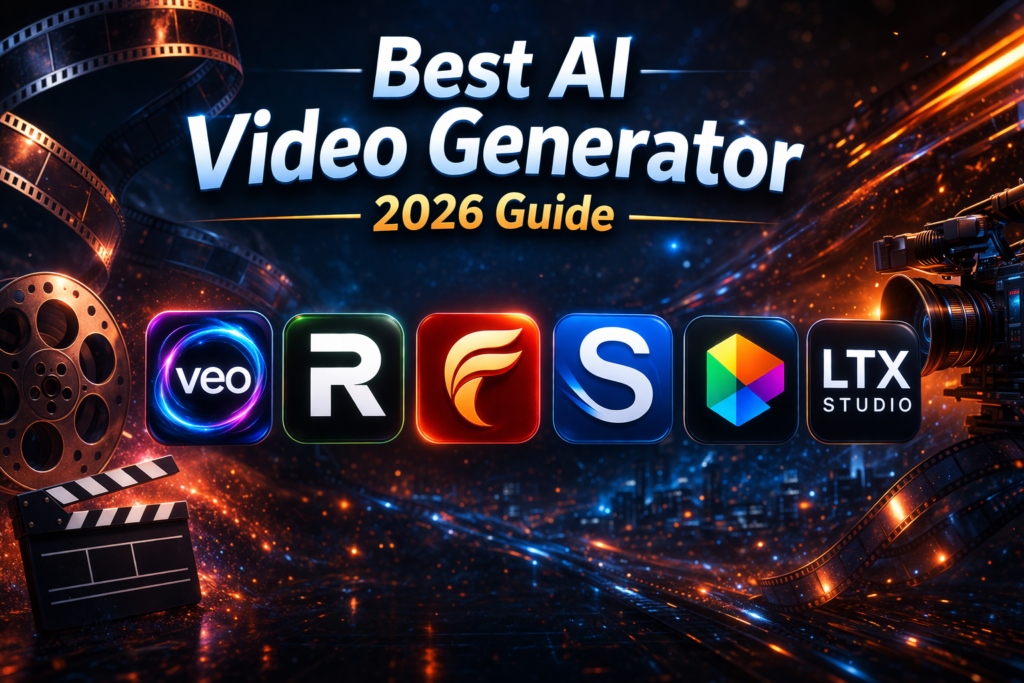
AI video generators have rapidly evolved into powerful creative tools that can turn simple ideas into cinematic visuals. Platforms like Runway, Sora, and Adobe Firefly are now capable of producing high-quality videos from just a text prompt.
The best AI video generator depends on what you need—realistic storytelling, quick social media content, or branded marketing videos. Each tool offers a different balance of speed, control, and visual quality.
In this guide, you’ll explore the top AI video generators, how they work, and which one is right for your content strategy.
What is an AI Video Generator?
An AI video generator is a tool that uses artificial intelligence to create videos automatically from text, images, or scripts. Instead of filming and editing manually, you describe your idea, and the system generates a video for you.
This shift has made video production more accessible. Creators no longer need expensive equipment or technical skills to produce engaging content. Businesses, marketers, and YouTubers are now using AI tools to create videos faster and at scale.
Top AI Video Generators in 2026
Google Veo – Cinematic Video at Scale
Google Veo is currently one of the most advanced AI video models available. It focuses heavily on realism, producing high-resolution videos with natural motion and detailed environments.
What makes Veo stand out is its ability to generate longer, more coherent scenes compared to most tools. It feels closer to traditional filmmaking, making it ideal for agencies and high-end creators who want cinematic output without a full production team.
It supports:
- High-resolution output (up to 4K)
- Natural motion and physics
- Multi-scene storytelling
If your goal is to create visually stunning videos, Veo stands out as a top-tier option.
Runway – Creative Control Meets AI
Runway has become a go-to platform for creators because it combines AI generation with editing tools. Instead of just generating clips, it allows you to refine and shape your videos within the same environment.
This makes it especially useful for YouTubers and content creators who need flexibility. You can generate scenes, adjust visuals, and experiment creatively without switching between multiple tools. For freelancers or beginners who find premium tools expensive, many people explore affordable access options—services like Isloo Tools, for example, offer group buy plans that make tools like Runway more accessible without paying full subscription costs.
It offers:
- Text-to-video generation
- Video editing and effects
- Motion tracking and scene control
Runway is ideal if you want both creative flexibility and editing control in one platform.
OpenAI Sora – Realistic Storytelling Power
Sora gained attention for its ability to generate highly realistic videos that simulate real-world physics and motion.
It performs particularly well when creating complex scenes, such as crowded environments or dynamic camera movements. This makes it a strong choice for storytelling and conceptual videos where realism matters.
It excels in:
- Real-world physics simulation
- Complex scenes
- Emotional storytelling
Sora represents the future of AI video, especially for narrative-driven content. However, like many cutting-edge tools, its accessibility can vary, and it’s still evolving as the technology matures.
Luma Dream Machine – Fast and User-Friendly
Luma Dream Machine focuses on speed and simplicity. It allows users to generate videos quickly without needing advanced skills or detailed prompts.
This makes it a practical choice for short-form content like TikTok, Instagram Reels, or quick marketing clips. While it may not match the cinematic depth of tools like Veo, it delivers consistent results with minimal effort.
It focuses on:
- Quick video creation
- Smooth motion output
- Easy-to-use design
If speed matters more than perfection, Luma is a strong choice.
Adobe Firefly – Built for Brands and Designers
Adobe Firefly brings AI video capabilities into the familiar Adobe ecosystem. Its main advantage is control over style and brand consistency.
For designers and marketing teams, this matters a lot. You can maintain a consistent visual identity across multiple videos while integrating seamlessly with other Adobe tools. It’s less about experimentation and more about polished, professional output.
Key strengths include:
- Brand-safe AI models
- Style consistency
- Integration with Adobe tools
If you already use Adobe software, Firefly fits naturally into your workflow.
LTX Studio – AI-Powered Video Production Workflow
LTX Studio takes a different approach by focusing on the entire video creation process, not just generation.
It helps users move from script to storyboard to final video in a structured way. This makes it especially useful for agencies and filmmakers working on longer or more complex projects. Instead of generating random clips, it supports a complete production workflow that feels closer to a real studio environment.
It helps with:
- Script-to-video workflows
- Scene planning
- Storyboarding
Think of LTX Studio as an AI-powered production studio.
How to Choose the Right AI Video Generator?
Choosing the right tool isn’t about picking the most advanced option—it’s about matching the tool to your goals.
If your focus is cinematic storytelling, tools like Veo or Sora offer the realism you need. For creators who want flexibility and editing control, Runway is often the better fit. On the other hand, if speed and simplicity matter most, Luma Dream Machine can save time without overwhelming you.
For businesses and brands, Adobe Firefly provides a more structured and consistent approach. And if you’re working on larger projects, LTX Studio gives you a complete production system rather than just a generator.
| Tool | Best For | Strength | Limitation |
|---|---|---|---|
| Google Veo | Cinematic videos | High realism, 4K output | Limited access |
| Runway | Creators | Editing + generation | Slight learning curve |
| Sora | Storytelling | Realistic physics | Availability |
| Luma | Speed | Fast & simple | Less detailed output |
| Firefly | Branding | Adobe integration | Still evolving |
| LTX Studio | Production | Full workflow | New platform |
What Actually Makes a Good AI Video Tool?
Not all AI video generators are equal, and the differences become clear once you start using them.
A good tool should understand your prompt accurately and translate it into visuals that make sense. Motion should feel natural, not robotic, and scenes should remain consistent without strange distortions.
Speed is another factor, especially for creators producing content regularly. At the same time, having some level of control—whether through editing or prompt refinement—can make a big difference in the final output.
Ultimately, the best tools balance quality, speed, and usability.
A Practical Tip for Budget Users
Many of these AI tools come with premium pricing, which can be difficult for beginners or freelancers.
If you can’t afford full subscriptions, you can naturally include this in your article:
Platforms like Isloo Tools offer group buy access to premium tools such as Runway at a much lower cost. It’s a practical option for those who want to explore AI video without committing to expensive plans.
This fits best after the “How to Choose” section or before the conclusion.
Common Mistakes to Avoid
Even with advanced tools, results depend heavily on how you use them.
One common mistake is writing vague prompts. AI works best when your instructions are clear and specific. Another issue is focusing too much on visuals without thinking about storytelling. A good video still needs structure, even if it’s AI-generated.
It’s also worth experimenting with different tools rather than relying on just one. Each platform has its own strengths, and testing them can help you find what works best for your style.
The Future of AI Video Generation
AI video is still evolving, but the progress is happening fast. Tools are becoming more realistic, faster, and easier to use.
We’re moving toward a future where creating a full video—from script to final output—can be done in minutes. Real-time generation, personalized content, and deeper integration with marketing platforms are likely to become standard features.
Key trends:
- More realistic human motion
- Real-time video generation
- Personalized AI models
- Integration with marketing platforms
In the near future, AI video tools may replace traditional production for many use cases.
Final Thoughts
The best AI video generator isn’t a single tool—it depends on what you’re trying to create.
If you want cinematic quality, Google Veo is a strong choice. For creative control, Runway stands out. And for quick, efficient content, Luma Dream Machine delivers solid results.
AI video tools are changing how content is created, making it faster and more accessible than ever. But not everyone has direct access to these premium platforms, which is why many creators rely on group buy tools to use similar AI tools and features at a more affordable cost.
By choosing the right platform—or a practical alternative—and using it effectively, you can stay ahead in the rapidly growing world of video content.
FAQS About AI Video Generators
Is Veo 3 free?
No, Google Veo is not fully free. Access is currently limited and typically available through selected platforms or enterprise-level programs. You might find limited trials or demos, but full usage usually requires paid access or special availability.
Which AI is better than ChatGPT?
It depends on what you need. ChatGPT is strong for conversation, writing, and problem-solving, but other AI tools specialize in different areas. For example, Sora focuses on video generation, while tools like Midjourney are better for images. So instead of “better,” it’s more about choosing the right AI for your specific task.
Which AI video generator is 100% free?
Most advanced AI video generators are not completely free. Tools like Luma Dream Machine may offer limited free access or credits, but full features usually require payment. Completely free tools exist, but they often come with restrictions like watermarks, lower quality, or usage limits.
Is AI video allowed on YouTube?
Yes, AI-generated videos are allowed on YouTube as long as they follow the platform’s policies. Content must not be misleading, harmful, or violate copyright rules. It’s also recommended to disclose AI-generated content when appropriate, especially if it could confuse viewers.

- Best AI Video Generator (2026 Guide) - April 1, 2026
- How to Use Semrush Pro for Keyword Research? - March 31, 2026
- Semrush vs Ahrefs: Which SEO Tool Is Better in 2026? - January 21, 2026